
TL;DR
- Notion is my pick for the best DnD note taking app for most tables. It’s basically just better Google Docs, and the AI saves a ton of time.
- Obsidian is a favorite for a reason. Slowest to learn, but it was the only app where organizing a campaign was actually fun, and its linking embarrasses every other app for DnD notes.
- Skip World Anvil for notes. It works, but there are lots of pop-ups and upsells that are just annoying.
I made fresh accounts in the 5 most recommended apps and gave them a 30 minute time trial to find the best DnD notes app for us players.
Quick picks
The five challenges
- Move in: Create a new account, paste in five sessions of campaign notes
- Organize: file the campaign into sessions, NPCs, places, and quests
- Find: answer three questions whose search keywords don’t appear in the notes, so the organization has to actually work
- Capture: type in 5 new notes into the app and file them where they belong
- Connect: clearly connect three things together, however the app allows
I personally don’t need dnd tools to help me world build because taking notes to me is a necessary evil. I want something that’s gonna work well as soon as I open it up without too much riff-raff. If that’s you… then you’ll enjoy my findings.
I used Claude AI to create fresh fake campaign notes for each test, to give each app a fair chance. Full caveat list in the footnotes. This being said, this isn’t 100% science (it’s not even 80% tbh) but it does give a good idea on how simple an app is to set up, how well it organizes, how easy it is to use, and various other things that we note takers think about.
The results
Let’s talk about speed: The fast apps finished quickly because they do less. The slower ones were slow because they were organizing everything better. So, if you’re just looking for something that’s a hair above notepad, then just pop open Google Docs and call it a day.
Try out the Find challenge yourself to see how hard I tested each app:
- Left Dunmere at dawn
- Oswin haggled for the mule: 15gp, and it has already bitten Tibb twice
- Took the north road through the Ashfen because Lyra swore it was faster. It was not faster
- Washed out bridge cost us half a day. Paid a ferryman 2sp each to pole us across
- Reached the inn by nightfall
- Brannick the wool merchant was there again and offered 50gp for the wolf pelts. We said we would think about it
- Tibb got into it with two caravan guards over a dice game. Full brawl, tables flipped, the whole thing
- Sister Hale patched everyone up and refused payment. Said to give to the shrine instead, so we left 5gp there
- Meant to settle up, but the magistrate's runner showed up at first light with a summons. Left in a hurry
- Magistrate Corwin wants the watchtower cleared before the festival. Pays 200gp, half up front. Oswin is holding it
- Lyra bought a map of the fen from a tinker named Pell for 3gp. Pretty sure it is fake
- Halfway out of town Oswin remembered we still owe Maren the barkeep 8gp for the broken chairs. That is a stop on the way back
- Found a brass key in the mule's saddlebag that none of us put there
- Corwin's clerk, Edda, slipped us a note: do not trust the captain of the watch
- Camped at the edge of the fen, Tibb on first watch
- Next time: the watchtower, the key, and ask Edda what she meant
Google Docs
Docs was the fastest start in the test by a mile. Part of this reason is because almost everyone already has a Google account. The hardest part was just finding Google docs amongst all their other apps. Copy-pasting the initial notes was just a simple Ctrl + C, Ctrl + V. It even auto-built tab sections from my notes, which was a genuinely nice surprise.
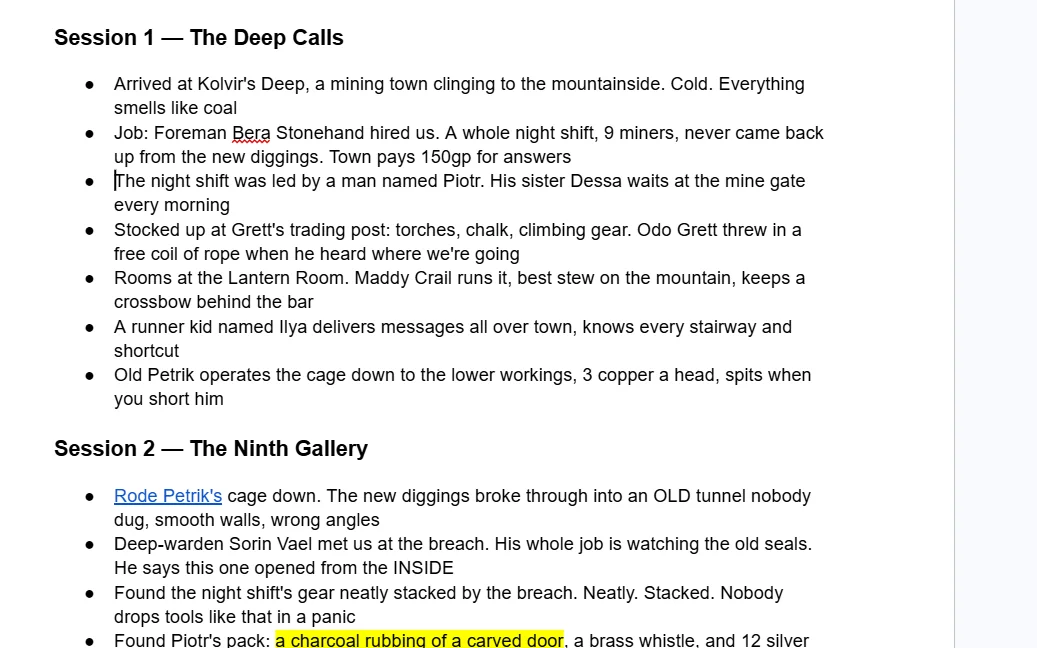
Then I tried to organize a campaign in it. There’s no concept of a character or a place in Docs, just text, so organizing meant copying lines into tabs by hand. Every “wait, did I already add this guy?” meant scrolling back to check, and I still ended up with a duplicate NPC.
The Find challenge exposed the cost: my notes were walls of text, and when a question’s keywords weren’t literally on the page, search couldn’t save me. I needed a hint on one of three questions.
Connect was the low point of the entire experiment: I never found real linking in Docs, so I spent 6.5 minutes finding and color-coding plot threads with the highlighter.
There’s also just a lot of buttons I do not care about in Docs when I’m trying to write notes like indenting options, tools, and comments.
That said, if you’re a player rather than a DM, this might honestly be the best DnD note taking app for players who just jot down the highlights and move on.
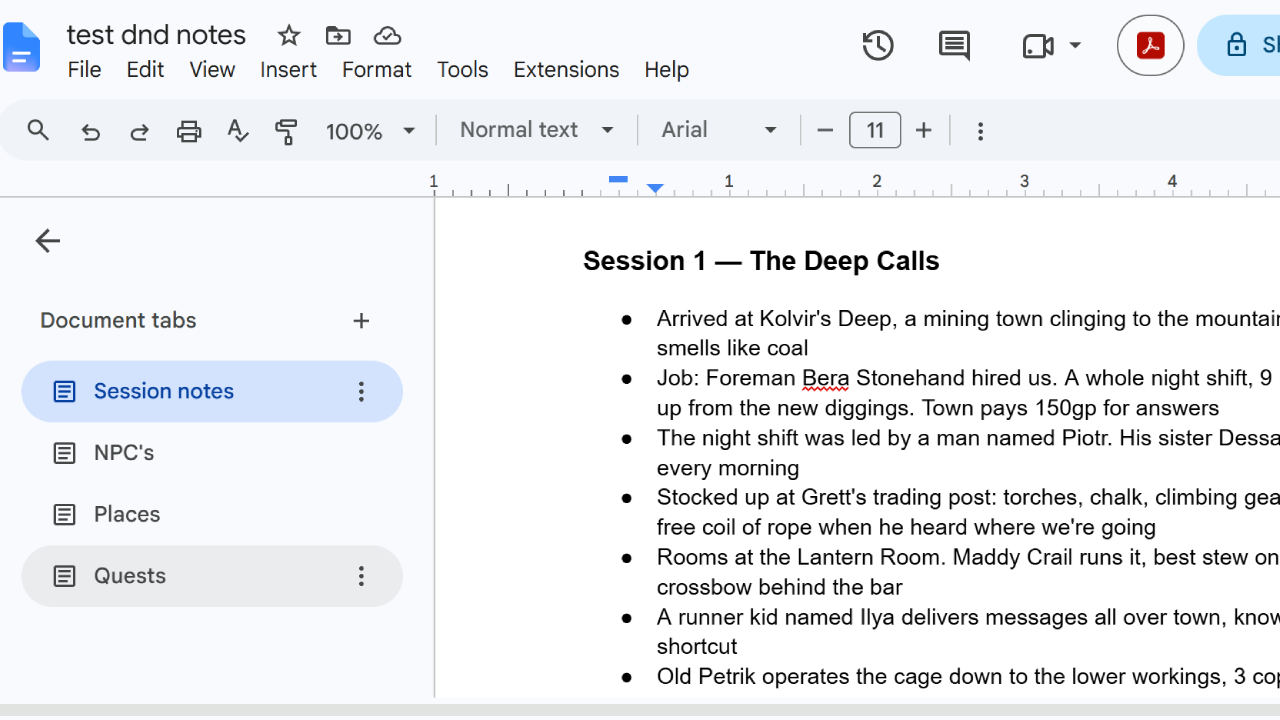
Verdict: fine for a short campaign or a light note-taker. Fast, free, & familiar. But Docs is built for writing documents from research papers to recipes, so around session 20 I think I would have a lot of disorganization.
OneNote
OneNote has been my personal notes app for years, so I’m more familiar with it and I am biased.
The good is real: fastest total time in the field, honest notebook-section-page structure that beats Docs for a big campaign, the fastest capture of any app, and it auto-dates every page, which nothing else did as clearly. Overall, it was solid.
But there were definitely some challenges. I tried to build an NPC table and abandoned it mid-attempt because it was wasting time and was ugly quite frankly. During the Find challenge, I clicked what I thought was search and OneNote routed me to a help panel. I forget that Onenote’s search is probably the worst search I’ve ever used.
Connect ended in highlighters again because I couldn’t find anything better.
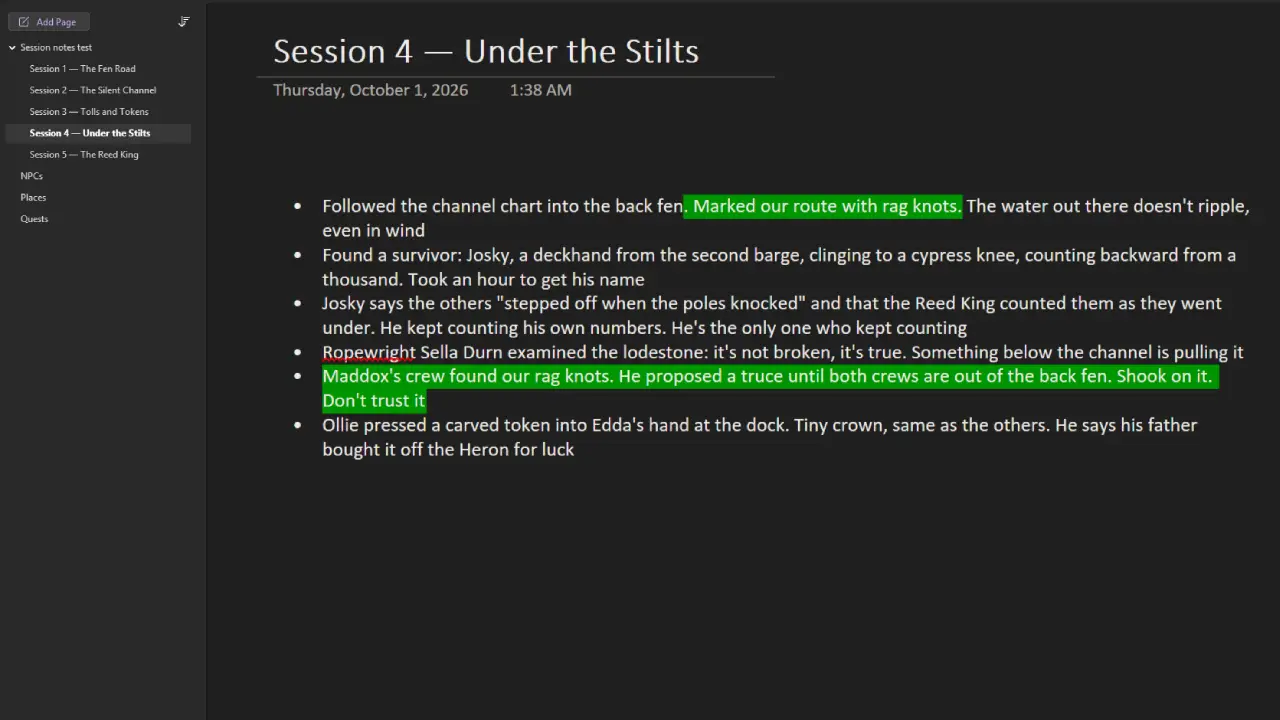
Verdict: better than Docs at dealing with a long-running campaign! I came in a longtime OneNote user and left eyeing Notion… More on that later.
World Anvil
The only app here actually built for DnD, which sucks because I genuinely did not like it.
The numbers are vivid. Six and a half minutes just to get in: my username got rejected twice, then a six-step onboarding wizard, a role quiz, a world generator, and a tutorial video. Organizing took nearly TWENTY minutes, the longest single stretch of the whole experiment, because World Anvil wants an individual article for every character and place, every page click costs about a second of loading, and I was creating fifty articles. It was one of two apps to blow past my 30-minute soft cap.
Then there’s the store. Keeping your notes private: paid. Secrets: paid. Nesting articles: paid. A sale popup appeared during onboarding and a second one, with a video, interrupted me mid-task. I was trying to write down my campaign and the app kept trying to sell me things.
Finally, I don’t know if it was just my Google Chrome not liking it but the longer I used it… the slower it got. It took longer to load pages and if I wanted to move pages around, it lagged hard.
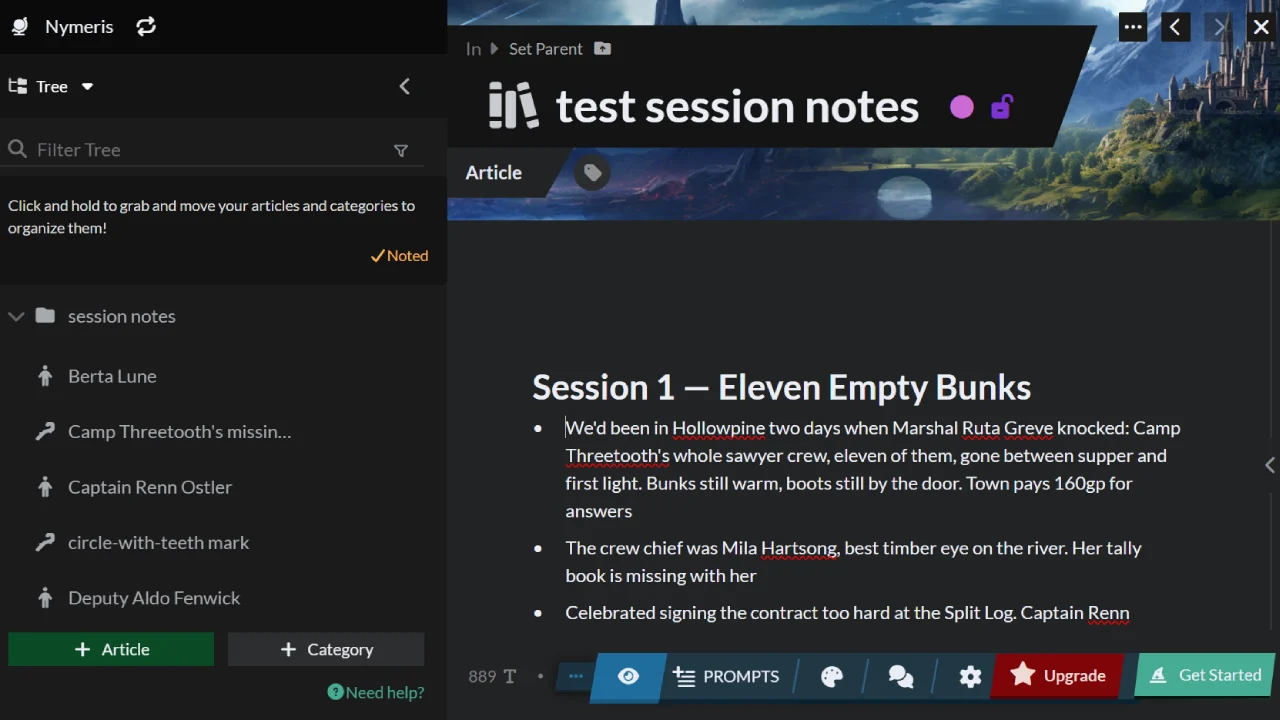
Underneath it all is an identity problem: World Anvil is a DnD note taking website where everything you make is an article you’re implicitly publishing. The whole time I felt less like a note-taker and more like a content creator, and I don’t want an audience for my personal notes.
Real credit where due: the character relationship system was very impressive! You can put relationships and how much each person likes each other. I didn’t see that anywhere else. When one of my Find questions turned on a family tie, that structure nearly answered it for me. The finished pages also display beautifully.
Verdict: a genuinely powerful worldbuilding and publishing tool. For simple session notes, it’s too much. I’m not into taking tons of thorough notes and writing an entire world, so it’s just not for me. Just like any of these tools, you can try it yourself if you want!
Notion
Notion surprised me the most. Signed in with Google in seconds, pasted my notes, and before I’d done anything it offered to reformat them. It added headings, bolded the important names, and pulled my loose ends into a callout box on its own.
Organizing is where it earns the pick. I built a table for my cast with a description column, and suddenly “did I already add this guy?” was a glance instead of a scroll hunt. Restructuring my sessions mid-run was just a few clicks. Finding things was pretty easy. I didn’t include some notes about one of the characters in their section which cost me some time, but I don’t count that against Notion. If these were real sessions, I think that would be well-mitigated. Connecting things worked the way I kept wishing it worked in Docs.
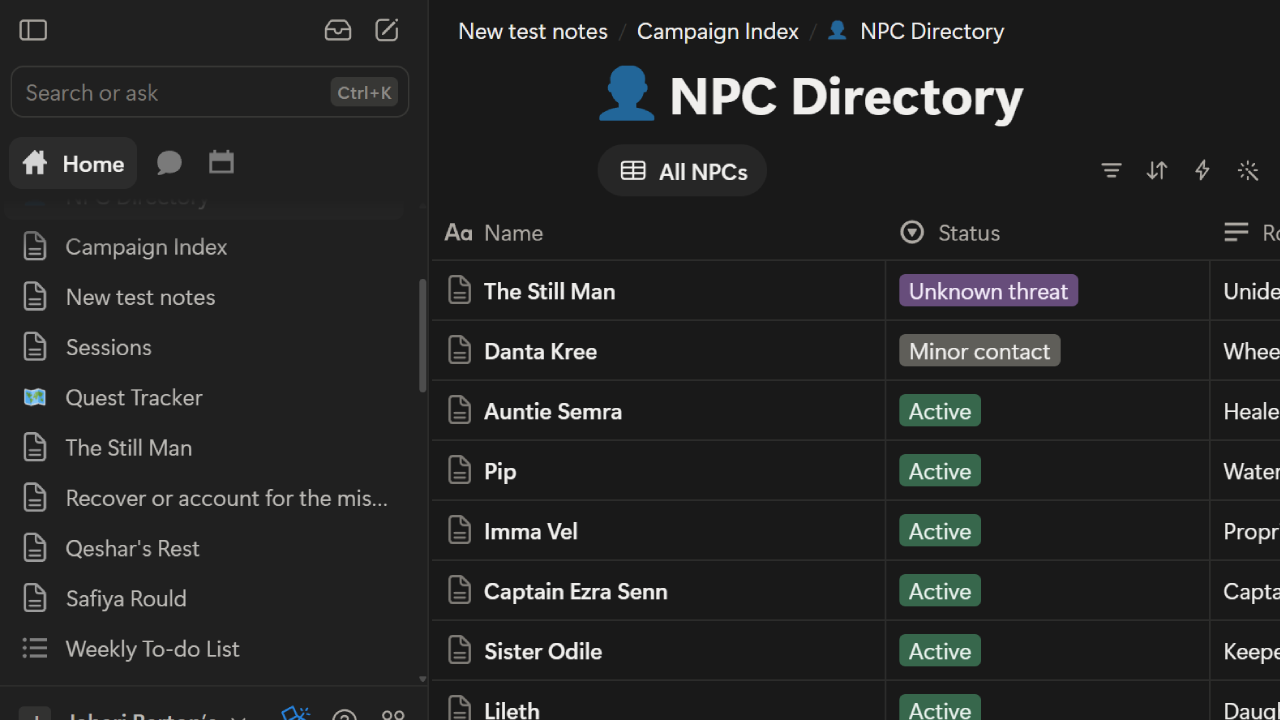
The only downside: the workspace arrives pre-stuffed with a few too many sample pages, which made it feel cluttered.
The AI changes the math
The one other big thing about Notion that it does throw in your face (for good reason) is its AI capabilities. I decided to do a separate run on Notion by using the AI as much as I could.
It organized the whole campaign in about 2 minutes. My manual time was 12. It answered all three Find questions, correctly, in a few seconds. Then I asked it to rebuild everything as linked databases, and a couple minutes later I had a campaign index, an NPC directory with roles and statuses, a quest tracker, and a places directory, all cross-linked. Click a place, see every character and quest tied to it.
I’m not understating this: I was truly amazed. this is a note taking app.
Counting the signup and capture time from my manual run (those cost the same either way), the AI run totals 16:57 against my 24:31. But the number that matters is this one: in the 3 tests the AI took over, my part shrank from 20 minutes of actual work to under 3 minutes of me just typing prompts and working with the AI. The rest of the time I was just waiting, or watching it build. If it weren’t a test, I wouldn’t even notice it.
The costs: the AI is not as fast as Claude or ChatGPT. But I’d just done all of this manually five times… and worse at that.
Verdict: a little more complicated than Google Docs to get used to, ultimately less complicated to live in, and the AI puts it in a different league. For most people this is the best app for DnD notes. If you pick one app off this page, pick this one.
Obsidian
Everyone and their mama in the notetaking space knows about Obsidian. Which means I had never used it because I don’t enjoy notetaking. But that’s perfect for this test because it wasn’t going to have a leg up. It’s the most recommended DnD note taking app on the planet, half the posts about Obsidian for DnD are people showing off their graphs, but there are also many, many complaints about the complexity. And after timing it, I can see why.
But it’s genuinely not too bad.
The install took 20 seconds and there’s no account to make. Then I spent my first few minutes genuinely unable to figure out the one thing Obsidian is famous for: linking notes in the graph. I eventually had to just look it up. I didn’t have to look up anything in the other apps, but I also wasn’t looking for a specific feature, so take that as you will.
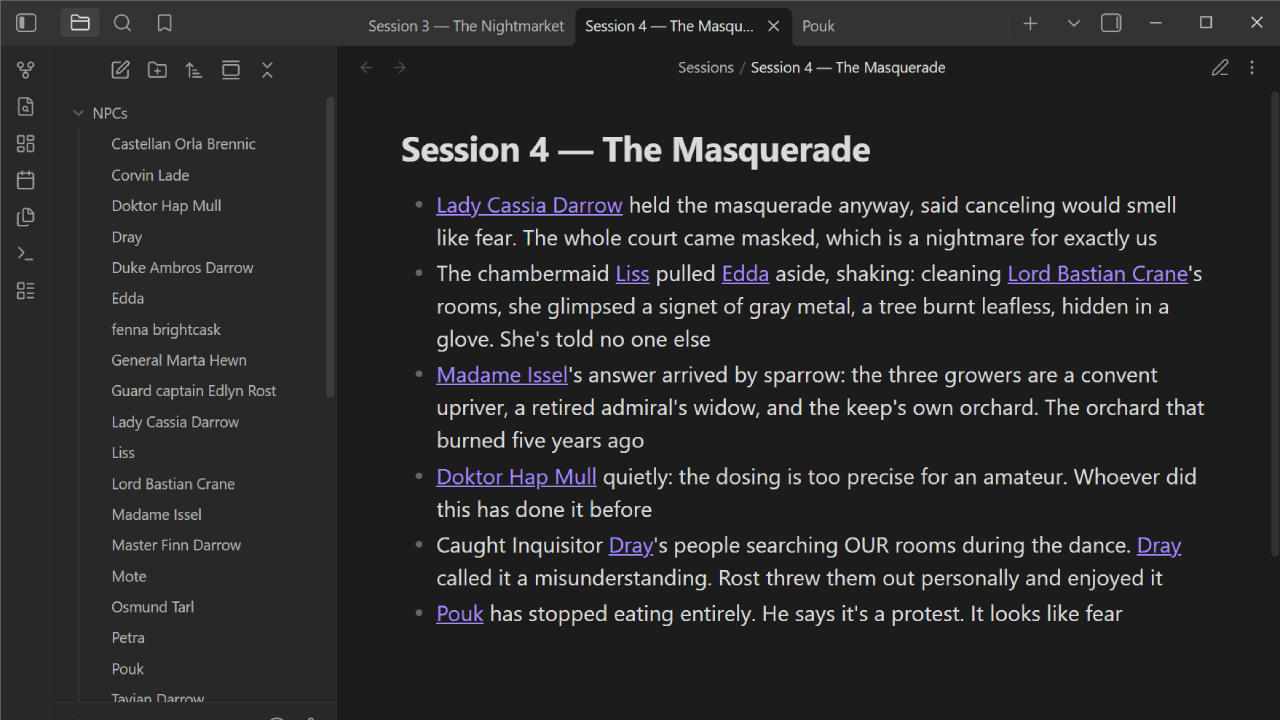
After that, though, I was mass-linking my entire NPC list while muttering “okay, this is kind of dope” at my desk. By the end I had a graph of my whole campaign, sessions as hubs with the characters orbiting them, and it looked like an actual campaign instead of a pile of documents.
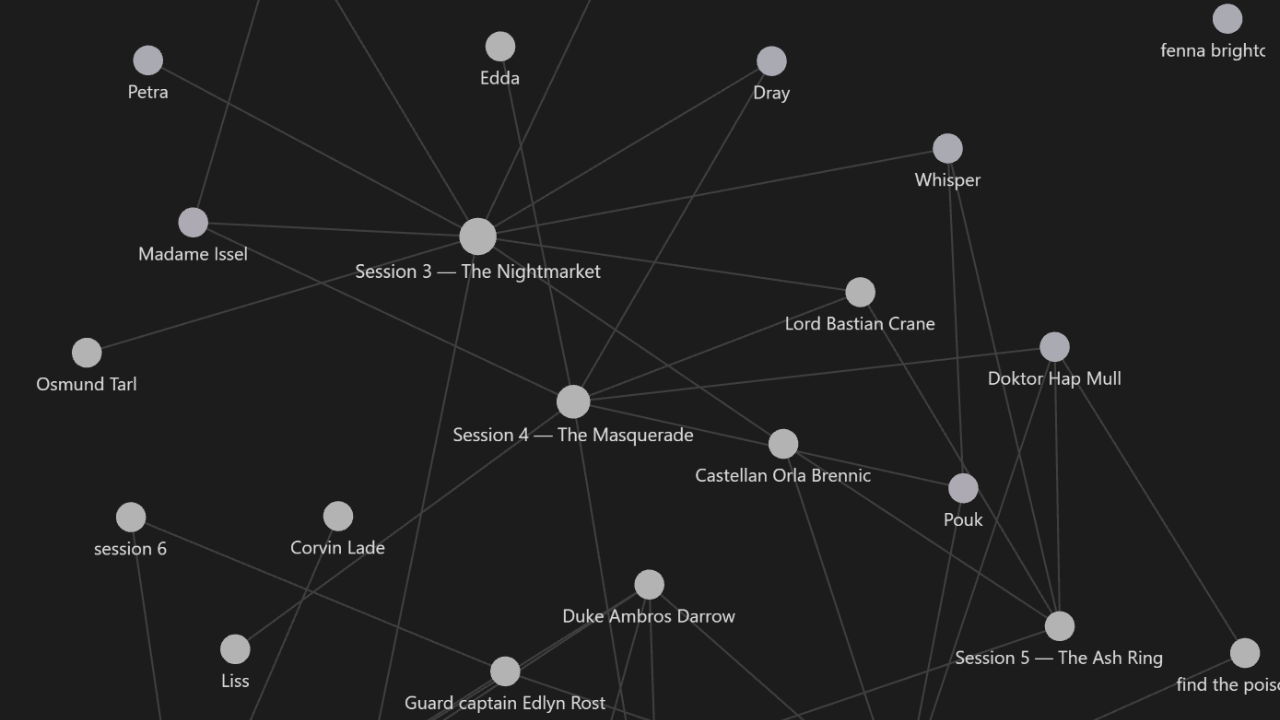
None of the other apps turned my notes into something that felt like a campaign. It was amazing to watch grow.
Then the Find challenge was very different because all 3 answers came easily due to the graph. When I was done, I thought it had to be the fastest. It wasn’t, though. It wasn’t too bad but I have to point out that I genuinely had fun on this test because Obsidian’s linking made it feel like a toy.
As you might expect, the Connect challenge was trivial because everything was basically already connected as a side effect of just taking notes. I still did three deliberate connections anyway for fairness: 1 minute 46. Against Docs’ 6:35 of highlighter madness. And again, most of that is actually just finding things in the notes to connect.
Honest frictions: name variants gave me duplicate notes, new links yank you to the new page when you just wanted to create it, and a fully linked page gets a little hard to read. On the famous plugins: the ecosystem is huge (the DnD stat block plugin alone has over 300,000 downloads) but it’s almost all for running games, not taking notes. The templates will format pages for you, which is nice but you still have to do the work.
Verdict: the slowest real contender and the only app that felt like it was building something. If you want your campaign to become a little universe you can walk around in, nothing else here is close. If you just want to write things down fast, it’s still going to do a great job. This is one of the best DnD note taking tools out there.
Or just don’t take notes at all
Here’s what this experiment actually taught me, and it isn’t about any of these apps.
Somewhere in hour two, surrounded by tables and graphs, I asked the only question that matters: do I ever actually look back at my notes? Honest answer: almost never. I take notes because I’m supposed to, like everyone at my table, and then they sit there. What my table actually wants is the recap, showing up before the next session, without anyone doing homework.
Notion’s AI half-solves this: it organized and answered everything faster than I could, but someone still has to write the notes first. Nothing in any of these apps can sit at the table and write the notes for you.
That’s the reason I built Crit Scribbler, a DnD AI note taker for Discord. It joins your call during the session and writes the notes and recaps itself. If your table feels like notes are mostly just a chore and you play on Discord, try it. If not, pick Notion and let its AI do your cleanup.
Try Crit Scribbler and grade it here.
Methodology footnotes
- Google Docs: I skipped account creation, since basically everyone has a Google account. Everything after was fully timed.
- OneNote: I used my existing install; add roughly three minutes for a fresh download and sign-in. I’ve also used OneNote for years, a familiarity edge the newer apps didn’t get.
- Each app got a structurally identical, freshly written fake campaign (five sessions, sixteen named NPCs, three search-proof questions), so I never re-read the same notes twice. I used Claude AI to generate the fake notes.
- By the third app I realized there were patterns in Claude’s generated notes, so I had it recreate large portions of it and switch it up so I didn’t give later apps a bigger advantage.
- Curious what the fake campaign notes actually looked like? Here’s the full packet from the Obsidian run, questions and answers included.
The actual test notes, for the curious
This is the real packet from the Obsidian run, exactly as I used it. Every app got its own fake campaign built on this same skeleton: five session notes, sixteen named NPCs, three questions whose keywords don’t appear in the text, five facts to capture, and a plot thread to connect. Different town and cast each time so I never re-read the same notes twice.
My party, in case you spot them in the notes: Edda the fighter, Bram the ranger, Petra the rogue, and me.
The five session notes (pasted in during Move In)
Session 1: Three Doses
- Summoned to Darrowgate Keep before dawn. Duke Ambros Darrow is poisoned, alive, and not waking up. Castellan Orla Brennic hired us on the spot: find the poisoner before the succession council meets in nine days. 200gp, half up front
- Doktor Hap Mull’s finding: the poison is threefold bloom, which only works as three doses across three separate meals. Someone did this over three dinners without being noticed once
- The heirs, in age order: Lady Cassia Darrow, a soldier who came home angry; Master Finn Darrow, who runs the family trade houses; and Tavian Darrow, the young one, who lives in the observatory and talks to his star charts
- The duke’s food taster, a halfling named Pouk, is suspiciously fine. He tasted everything, all three nights. Either the poison skipped him or someone skipped the tasting
- Guard captain Edlyn Rost locked the keep’s gates and doesn’t care whose feathers that ruffles
- A kitchen scullion called Mote will trade gossip for honey bread, and the kitchen hears everything
Session 2: The Dinner Map
- Rebuilt the seating for all three dinners with Brennic’s steward lists. Cassia sat at her father’s right all three nights. Finn missed the first dinner, trade business. Tavian missed the second entirely, locked in the observatory with his charts, and two servants swear to it
- Wine steward Corvin Lade walked us through the cellar. Every bottle from those nights is accounted for, which he says proves the poison wasn’t in the wine, and he says it a little too quickly
- Mote’s tip, for honey bread: the night of the third dinner, someone was in the duke’s private study AFTER the duke collapsed. Mote heard the floorboards from the dumbwaiter
- Lost an evening and 10gp to Captain Rost at dice while watching the guard rotation. We still owe her. She counts debts like a quartermaster
- General Marta Hewn arrived uninvited, the duke’s oldest friend, armed for war and asking harder questions than we are
Session 3: The Nightmarket
- Madame Issel, the Nightmarket herbalist, confirmed it: threefold bloom is grown, not gathered, and only three growers in the region can keep it alive. She would not name them indoors
- A spymaster who goes by Whisper agreed to trade. Price: a favor, unnamed, to be collected later. Petra shook on it before we could argue
- Whisper’s freebie to show good faith: Finn Darrow is into the lender Osmund Tarl for four thousand crowns, and the trade houses don’t know
- The Gilded Hand, Inquisitor Dray’s crew, are working the same case for the council’s coin. Dray offered to share findings. His smile did not reach anywhere
- Lord Bastian Crane, old money and oily, has visited the keep every day since the poisoning. Brennic can’t bar him; his banner holds two votes on the succession council
Session 4: The Masquerade
- Lady Cassia held the masquerade anyway, said canceling would smell like fear. The whole court came masked, which is a nightmare for exactly us
- The chambermaid Liss pulled Edda aside, shaking: cleaning Lord Crane’s rooms, she glimpsed a signet of gray metal, a tree burnt leafless, hidden in a glove. She’s told no one else
- Madame Issel’s answer arrived by sparrow: the three growers are a convent upriver, a retired admiral’s widow, and the keep’s own orchard. The orchard that burned five years ago
- Doktor Mull, quietly: the dosing is too precise for an amateur. Whoever did this has done it before
- Caught Inquisitor Dray’s people searching OUR rooms during the dance. Dray called it a misunderstanding. Rost threw them out personally and enjoyed it
- Pouk has stopped eating entirely. He says it’s a protest. It looks like fear
Session 5: The Ash Ring
- Brennic, behind a locked door: the burnt-tree signet matches the Ash Ring, a poisoners’ society her grandmother’s generation supposedly stamped out. “Supposedly” is doing a lot of work
- Confronted the timeline: the study visit after the collapse, Crane’s daily visits, the glove. Crane left the city at dawn by the river gate, two days ahead of the council
- Whisper sent word: the favor is now due. We are to deliver a sealed letter to General Hewn and not read it. Petra wants to read it. Petra absolutely wants to read it
- The duke’s hand moved. Mull gives no promises, but three doses need a fourth to finish, and the keep’s kitchens are now guarded like a vault
- Plan for next session: the burned orchard, the locked gate, and whatever is still growing in there
- Loose ends: Crane is on the river, Pouk still won’t eat, the letter is still sealed, and nobody has told Lady Cassia that her brother is four thousand crowns underwater
The Organize task
File the campaign into four homes: Sessions, NPCs, Places, Quests. By instinct, the way you would for your own game, stopping where you’d naturally stop.
The Find questions
Answered one at a time. The trick: the keywords in each question don’t appear in the notes, so plain search can’t carry you.
- Q1: Where was the youngest heir during the second dinner?
- Q2: What was stamped on the jewelry the maid saw?
- Q3: How much does the middle heir owe, and to whom?
Answers: the observatory, with his charts, two servants vouching · a tree burnt leafless, on a gray metal signet · four thousand crowns, to the lender Osmund Tarl.
The Capture facts (entered by hand, fast, each into its proper home)
- New quest: find the third grower of threefold bloom before the Gilded Hand does
- Debt: we still owe Captain Rost 10gp from dice (Session 2)
- New NPC: Fenna Brightcask, a tavern brewer, says a hooded buyer paid in old crowns for her entire ash-wood stock
- Secret: Mote is Whisper’s nephew and reports everything he hears
- New place: the duke’s private orchard, burned five years ago, gate still locked
The Connect task
Clearly connect any three things from the sessions, using whatever the app offers. The seeded thread, if you want one: threefold bloom, the three growers, Crane’s signet, the Ash Ring, the burned orchard.
And no, I don’t know what’s behind the orchard gate either. Five different towns are now permanently stuck on their cliffhangers so you could read this comparison.